 Carakin
Calendar, Done, Issue & skip
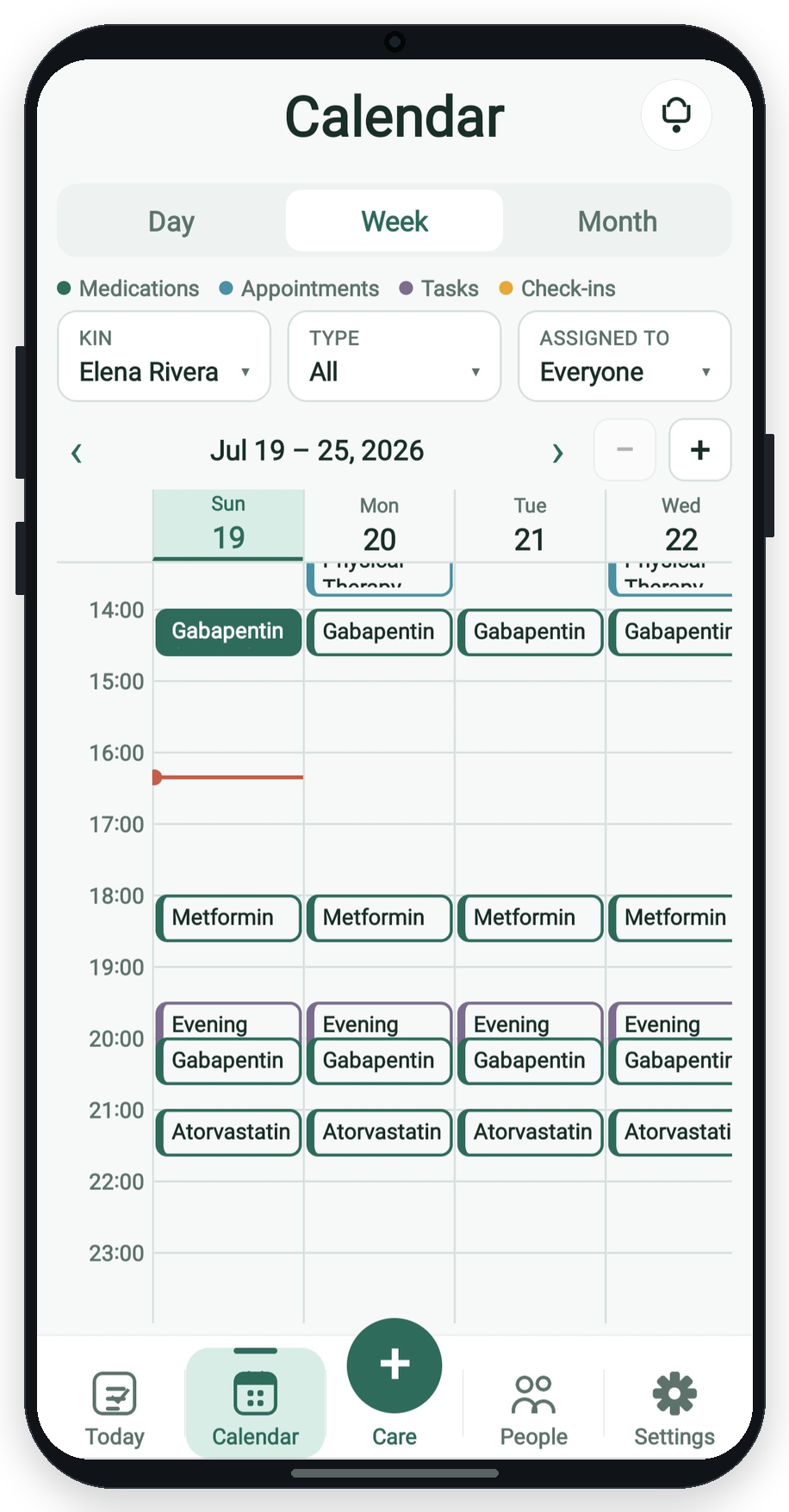
The calendar is where due care shows up. Filter it, select an item, and act without leaving the page.
Views & filters
- Open Calendar (or today's schedule on Today).
- Switch Day, Week, or Month.
- Filter by Kin (family calendar), type (meds / appts / tasks), and assignee (everyone, you, or a specific member).
- Select an item on the timeline to open the side panel (month view uses a popup).
Mark Done
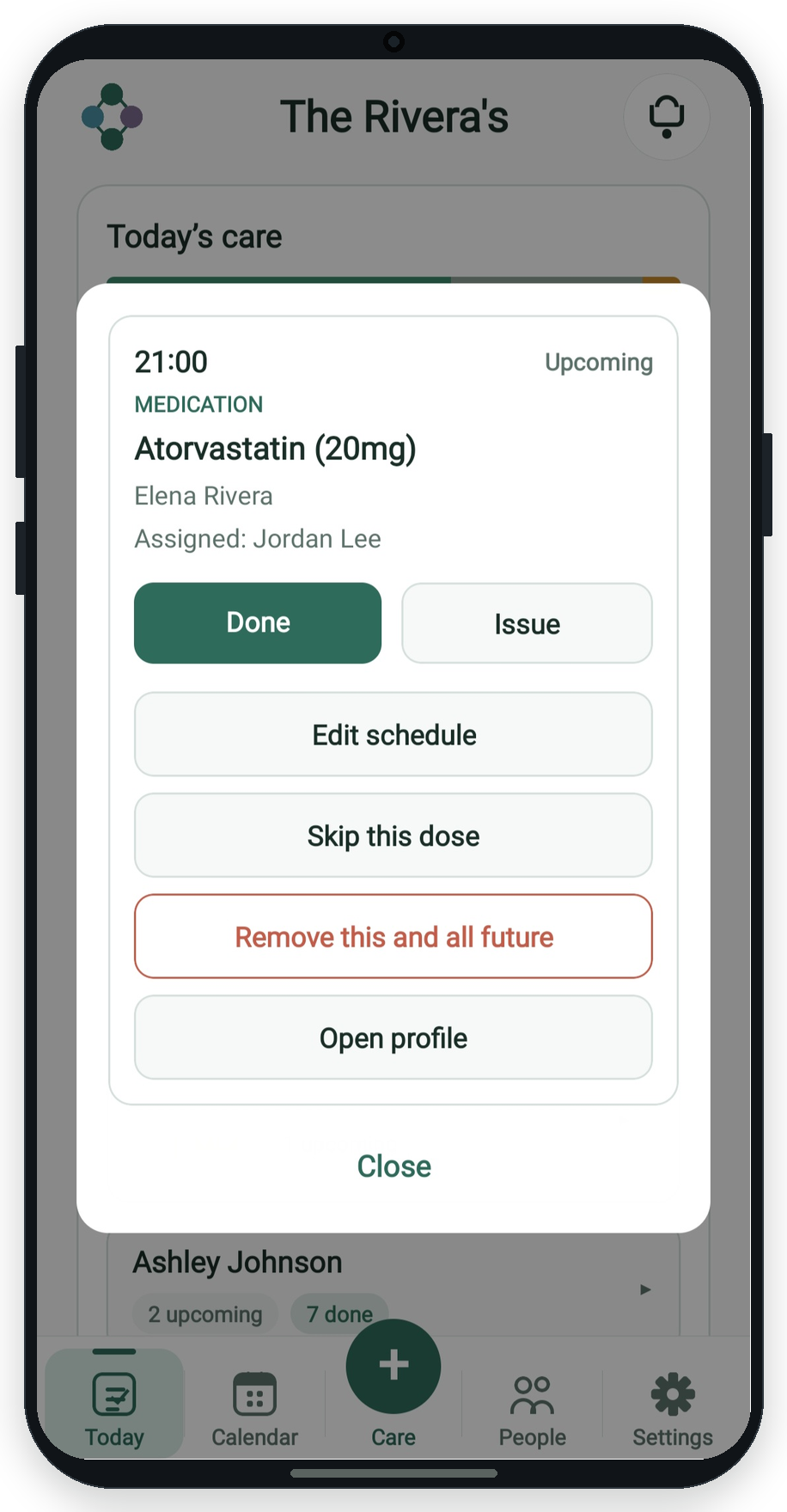
For a pending item, tap Done. The occurrence shows as completed for the family.
Report an Issue
- Select the pending occurrence.
- Tap Issue.
- Optionally describe what went wrong.
- Submit. People set to be notified on submission can get an alert on phone.
Skip or end the series
- Skip this dose / appointment / task - hides only that occurrence.
- Remove this and all future - ends the schedule from this point forward.
- Edit schedule - change the underlying medication, appointment, or task.
More guides: All guides | Tasks | Medications