 Carakin
Upload & manage documents
Files are encrypted on your device before upload. Open them under People → Docs, use them as a family library, or attach them to medications, appointments, and tasks.
Upload a file
- Open People → Docs.
- Optional: link to a kin profile (or leave family-wide).
- Add optional notes.
- Choose a file and wait for encrypt + upload to finish.
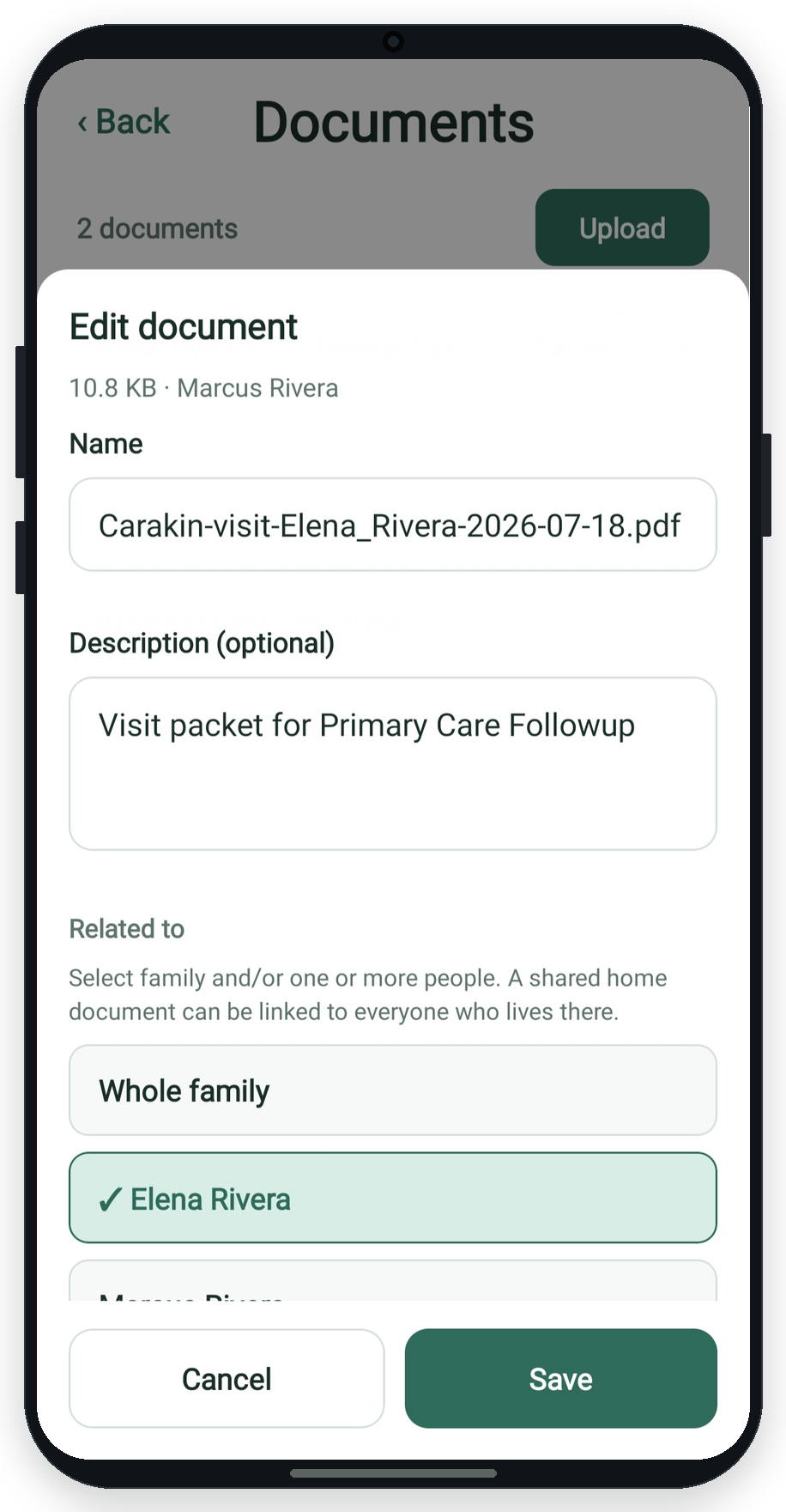
Edit or delete
- Download - decrypts locally and saves the file.
- Edit - rename, change notes, or change kin link.
- Delete - removes the file and clears it from care attachments.
Filter and group the list by profile, uploader, or date.
Attach to care
When creating or editing a medication, appointment, or task in +Care, check documents under Attached documents. They stay linked both ways.
More guides: All guides | Medications | Tasks