 Carakin
Log vitals
Record blood pressure, weight, and blood sugar for a kin profile. Caregivers and linked kin can log readings. Recent values also appear on visit packet PDFs (latest reading in the 14 days before the appointment).
From +Care
- Tap +Care.
- Choose Log vitals (coral accent, separate from meds / appts / tasks).
- Pick the kin profile (linked kin only see themselves).
- Select blood pressure, weight, or blood sugar and enter the value(s).
- Save reading.
From Health
- Web: People → Kin → open the profile → Care & health → Health panel.
- Android: People → kin → Health, then choose blood pressure, weight, or blood sugar.
- Enter the reading and save. Charts and recent lists update after save.
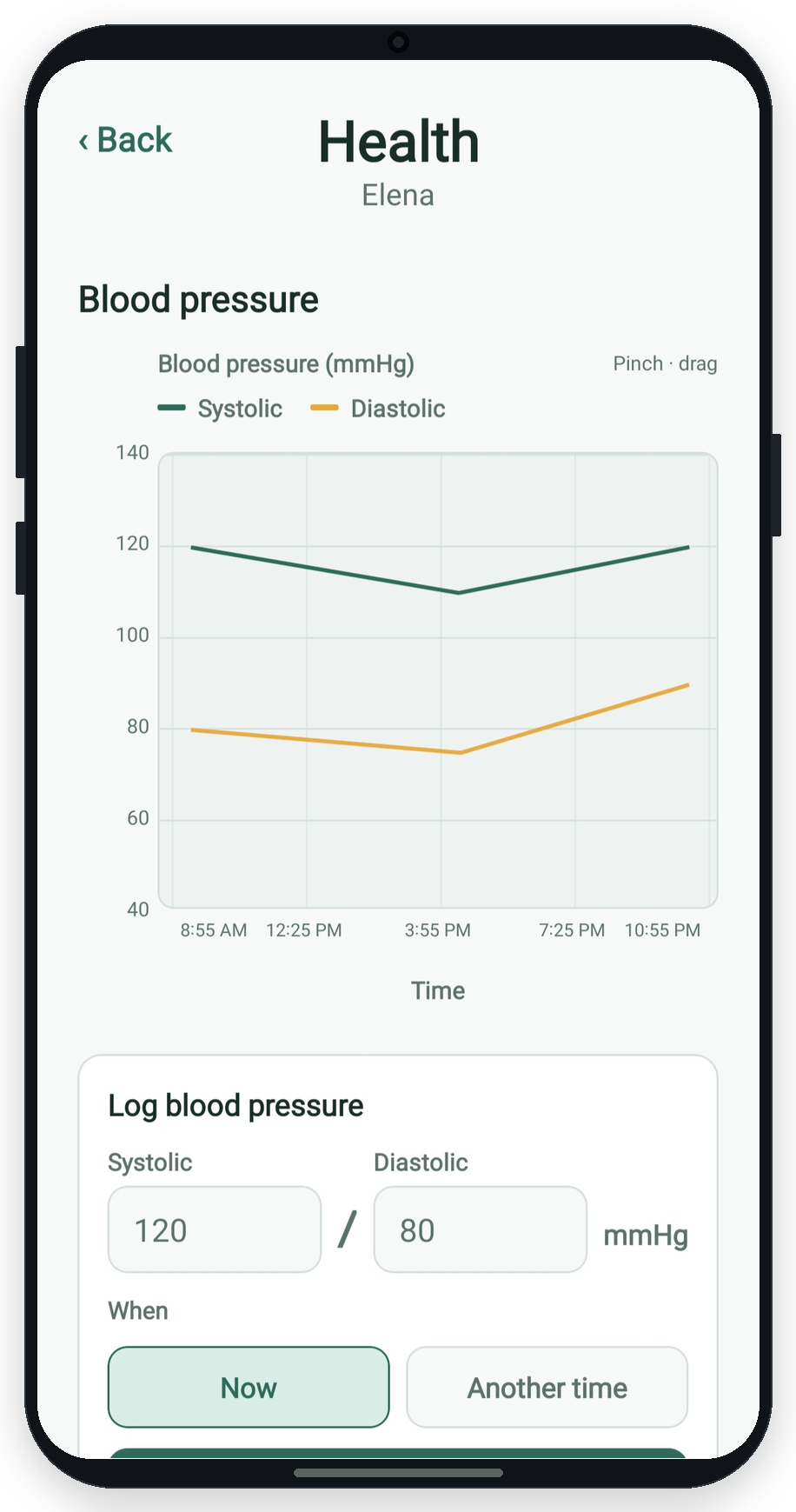
When was it taken?
Now is selected by default. Choose Another time to set a date (defaults to today) and time if you are backfilling an earlier reading. Future times are not allowed.
Visit packets
When you create a visit packet PDF for an appointment, Carakin includes a Recent vitals section with the latest reading of each type from the 14 days before that visit. That keeps clinic packets useful even when appointments are with different specialists.
More guides: All guides | Check-ins | Appointments