 Carakin
Security & Recovery
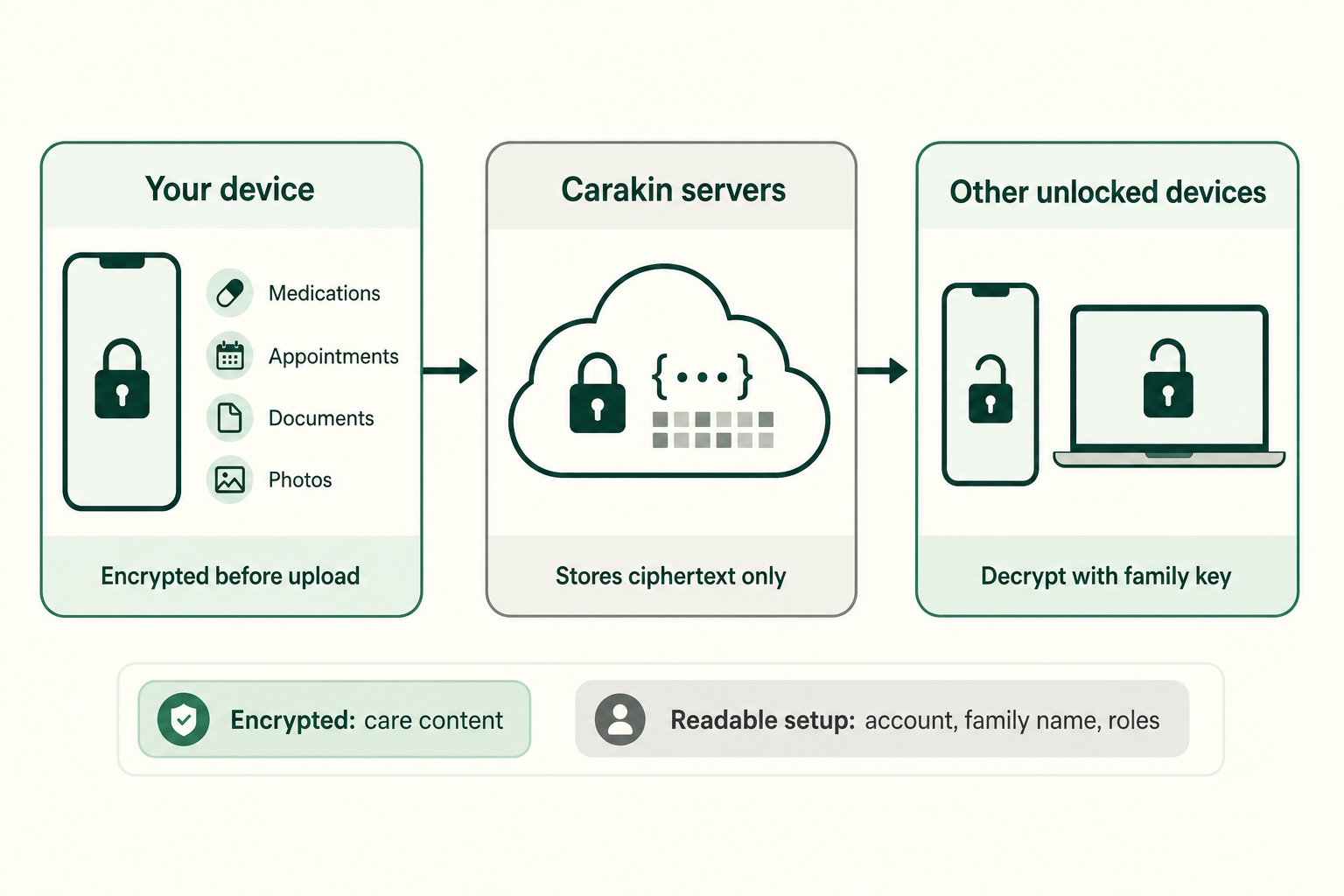
Carakin is built so family care content stays readable on your devices - not on our servers in plaintext.
What gets encrypted
Before upload, your devices encrypt things like medications, appointments, tasks, notes, documents, profile photos, personal kin details, and health check-ins / synced metrics. The cloud receives ciphertext. Carakin does not hold your family decryption key and cannot open that content.
We do keep a small amount of readable setup data so the product works: your sign-in identity, family name, who is a member, roles, invites, and device access requests. See the Privacy Policy and Data Policy for detail.
New devices need approval
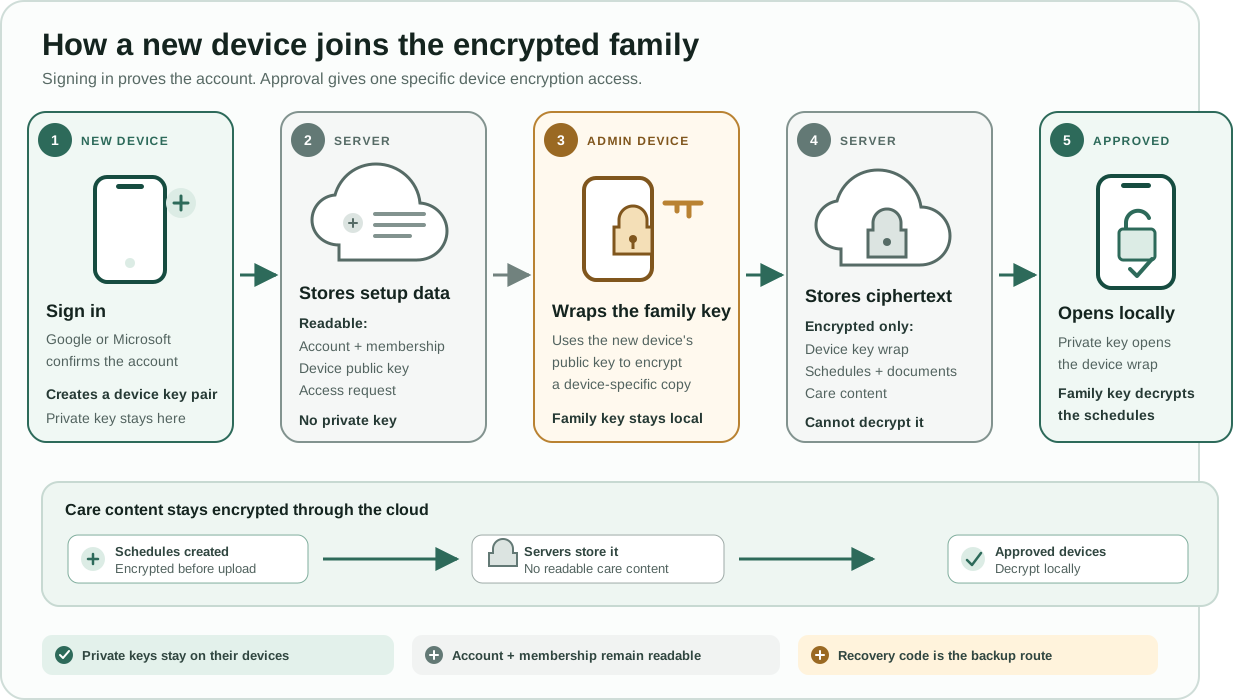
Opening Carakin on a new phone or computer does not automatically unlock the family vault. An already-unlocked device (or a recovery code) is required so the family key can be wrapped for the new device. Admins see pending encryption requests on Today and under People → Users, and can manage devices in Settings.
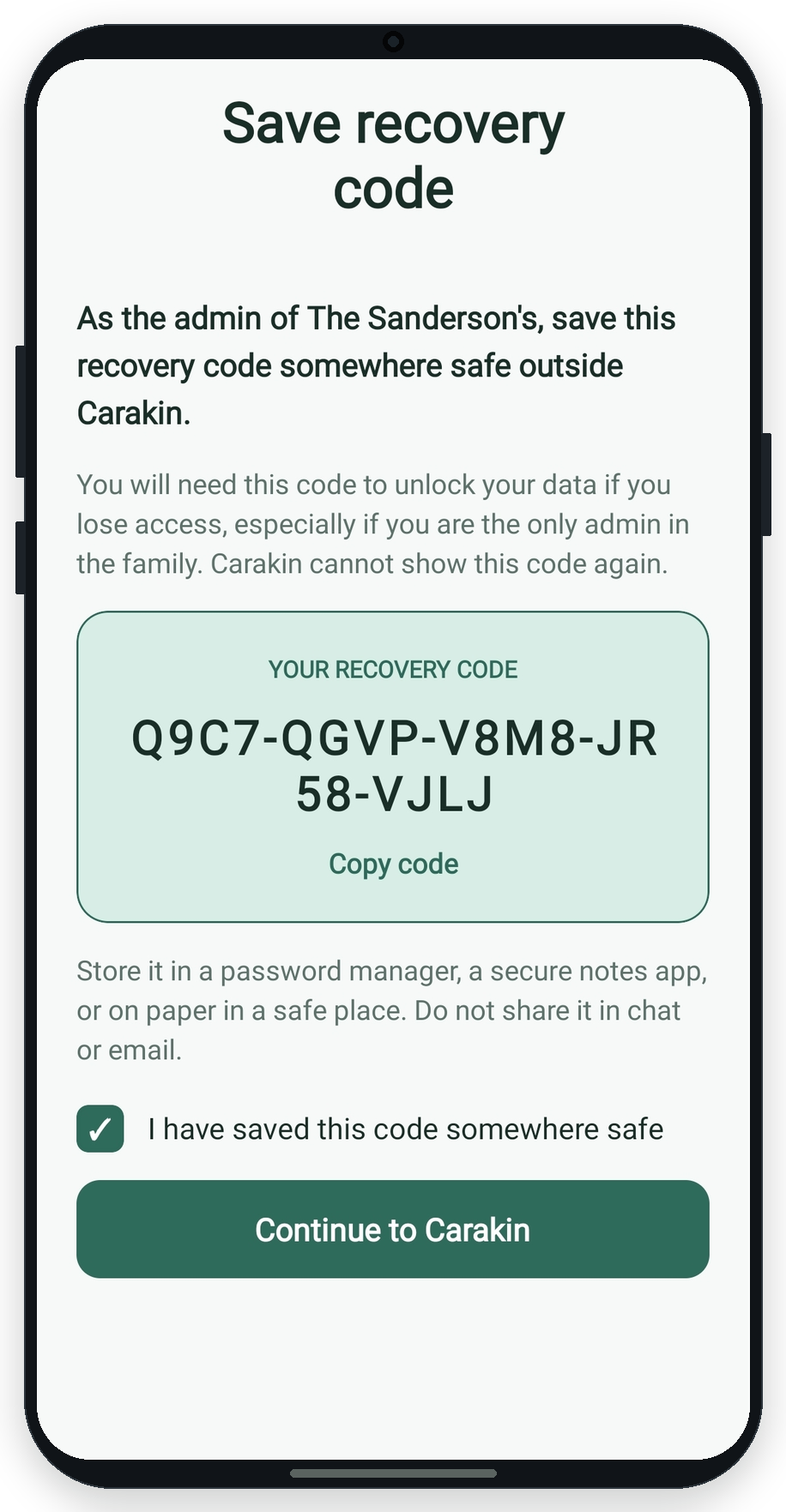
Recovery codes - especially for solo admins
Create or restore a recovery code from Settings → Security on the web, or the matching encryption / restore screens on Android.
Practical habits
- Create a recovery code before you wipe a phone or reinstall the app.
- Keep at least one spare unlocked device or a second admin when you can.
- Revoke devices you no longer use - see Devices & restore.
How a new device gets encryption access
Signing in proves the account. An unlocked admin then wraps the family key for that specific device. Servers never receive device private keys or a readable family key.
Step-by-step: Devices & restore | Export or delete a family | Back to Resources home | Get started